Skip to content

AuthorAaron Crear

Aaron is Founder & Principal at Hat-Trick Consulting. He works with companies around the world to help them achieve their Salesforce goals through administration, development and architectural services. A former sales director, Mr. Crear has extensive functional and technical expertise translating business requirements to technical solutions. Aaron currently holds 10 Salesforce certifications including Salesforce Certified Data Architect, Sharing & Visibility Architect, Sales Cloud Consultant, Service Cloud Consultant, Community Cloud Consultant, Platform App Builder, User Experience Designer, Advanced Administrator, Administrator and AI Associate. He is also the leader of the Lowell, MA Admins Community Group and is a co-organizer of Northeast Dreamin’. Mr. Crear is a frequent speaker, having presented at Dreamforce, Albania Dreamin', Big Sky Dreamin’, Cairo Dreamin', Czech Dreamin’, dreamOle’, Dubai Dreamin', Florida Dreamin', French Touch Dreamin’, London's Calling, Midwest Dreamin’, North Africa Dreamin', Phillyforce, Polish Dreamin', Portugal Dreamin', Snowforce, Southeast Dreamin’, True North Dreamin, YearLeadin’and Salesforce World Tours.

5 Ways to Use Colors in Reports & Dashboards

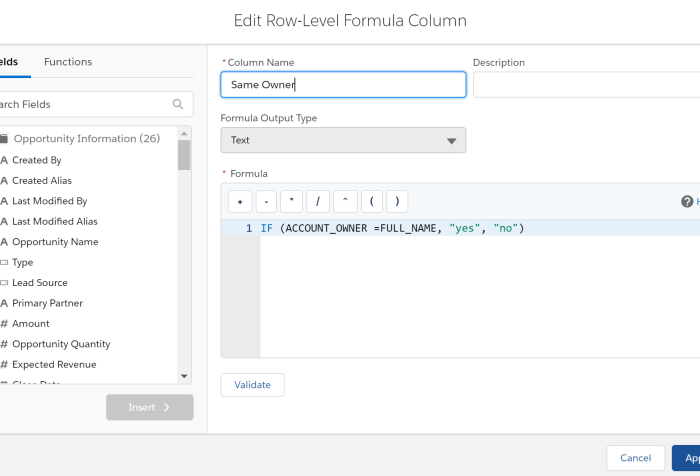
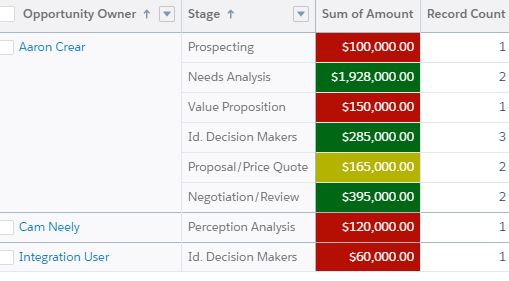
Reports are a mechanism for gathering and correlating data. However, people are visual learners. Adding a chart to a report or creating a dashboard allows people to easily understand the business insights that the report is providing. To take this visualization to the next level you can utilize color to help further communicate the report results and make them easier to consume. During this presentation you will learn how to set default picklist value chart colors, use conditional formatting to color code report table cells, create visual image formulas, customize dashboard themes and palettes and get creative with Analytics dashboard color schemes.