Skip to content

CategoryAnalytics

Topics related to Salesforce analytics

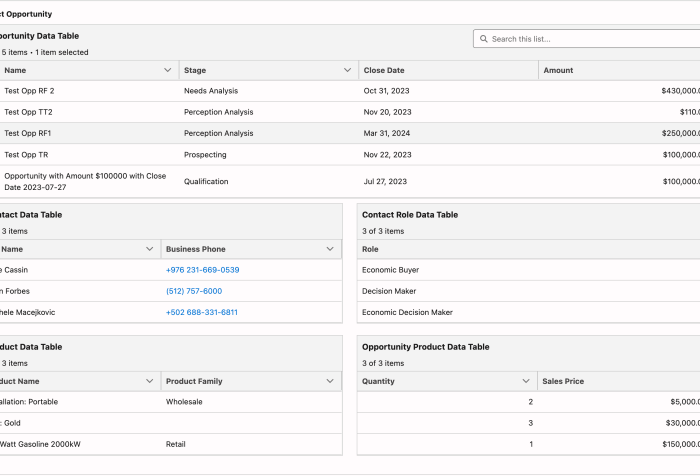
Flow Reporting with Reactive Related Data Tables

Can Salesforce Flows Support Reporting and Visualization?

Reporting is one of the strongest features of the Salesforce platform. With powerful standard tools like report builders and dashboards, you can analyze and visualize your data to make informed decisions. But even if you’re a reporting pro, you’ve probably hit limitations, especially when your data isn’t structured just right. That’s where Salesforce Flows come in.

Access Salesforce Reports and Dashboards in Slack with the CRM Analytics App

Salesforce CRM Analytics isn’t just for dashboards and lenses tucked away in Salesforce anymore. With the CRM Analytics for Slack app, users can bring powerful analytics insights right into their Slack workspace—where collaboration happens in real time.

We will explore how users can view, share, and act on standard Salesforce Reports and Dashboards(no paid CRM Analytics Licenses required) without leaving Slack. Whether you’re a sales manager monitoring pipeline health or a service leader tracking case resolution times, CRM Analytics in Slack makes it easier than ever to stay informed and responsive.

Unleashing Visual Insights: Uncover the Power of Embedded Charts in Salesforce

We all know that Reports and Dashboards are critical to businesses. However, far too often we end up with hundreds of Reports, most of which go unused, piling up in folders that no one even remembers where to access them. Wouldn’t it be better if we could take our most important analytics and put them in the forefront ? Good news, we can, by embedding them in the UI. I’ll demo several ways to bring these charts to the surface and place them where they are truly useful and actionable.

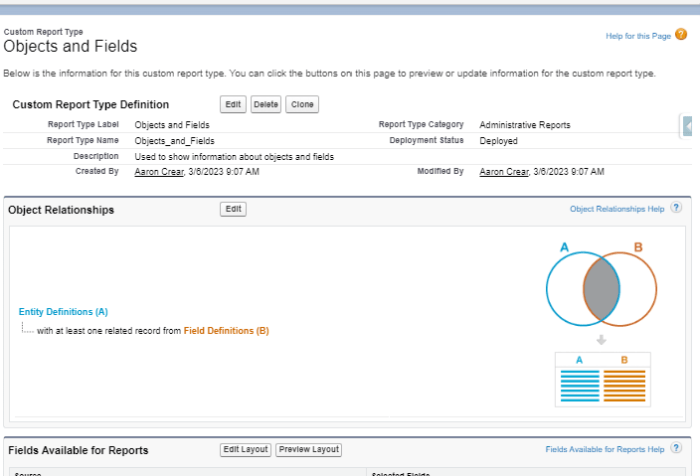
Report on Objects and Fields

Monitoring and auditing object and field information can be a tedious Task. Going through Object Manager to an Object then clicking on Fields & Relationships and trying to scroll while waiting for the list to update takes a while (in cases where you can’t just search on field name). Wouldn’t it be great if we had a way to get information on our Objects and Fields quickly in one screen? Good news is, we can, with Reports.

Collaboration and Sharing with Reports and Dashboards

Reports and dashboards are an integral part of every Salesforce org and are key components to uncover business insights as well as to drive actionable decisions. The consumption of the data is an important piece of their usage. To make these analyses even more useful we can add layers of sharing and collaboration. This allows us to capture different perspectives, challenge the validity or derivation of the data and make it more accessible. Next we will look at several ways to do this.

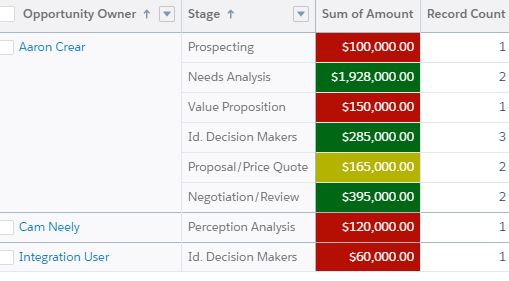
5 Ways to Use Colors in Reports & Dashboards

Reports are a mechanism for gathering and correlating data. However, people are visual learners. Adding a chart to a report or creating a dashboard allows people to easily understand the business insights that the report is providing. To take this visualization to the next level you can utilize color to help further communicate the report results and make them easier to consume. During this presentation you will learn how to set default picklist value chart colors, use conditional formatting to color code report table cells, create visual image formulas, customize dashboard themes and palettes and get creative with Analytics dashboard color schemes.